
Trading Journal for FTMO Accounts on MT4 and MT5
Short answer: save your FTMO account’s history from MetaTrader as a report and import it into your journal. In Parallax, Data → Import trades… reads MT4 and MT5 reports, with your S / L and T / P as each trade’s stop and target. Then set the account up with FTMO’s rules, and Reports → Prop accounts shows the room left before the maximum loss, the daily loss limit days and how far you are from the profit target.
What to track on an FTMO account
FTMO judges an account by its Trading Objectives: a Profit Target, a Maximum Daily Loss, a Maximum Loss, Minimum Trading Days on some account types and, on newer accounts, a Consistency rule. A journal for FTMO accounts keeps, per account:
| Track | Why it matters |
|---|---|
| Room left before the Maximum Loss | How far the account can fall before it fails |
| Days near or at the Maximum Daily Loss | Days that came close to ending the account |
| Profit Target progress | How far there is still to go in the challenge or verification |
| Trading days and best day | What the trading day and consistency checks look at |
| Challenge fees and rewards paid | What each account cost and paid you |
The exact figures depend on the account type (FTMO offers 1-Step and 2-Step challenges) and they change from time to time, so check FTMO’s own Trading Objectives page for the account you bought.
Getting your FTMO trades in
FTMO accounts on MetaTrader 4 or 5 export the same way as any other MetaTrader account:
- MT4: Terminal → Account History → right-click → Save as Detailed Report.
- MT5: Toolbox → History → right-click → Report → HTML.
Then click Data → Import trades… in Parallax and pick the file. Commission and swap come across, and tickets split from one entry become one trade. Step by step, with what each report includes, in Trading Journal for MT4 and MT5.
Each FTMO account comes in as its own account, so a challenge, its verification and the funded account each keep their own trades and results. Importing the same report again is safe: trades already in the journal are skipped.
FTMO also offers other platforms, such as TradingView. Parallax reads MetaTrader reports, so for FTMO it covers accounts traded on MT4 or MT5.
FTMO’s rules in the journal
In Settings → Accounts & commissions, click Prop firm next to the account, turn on Prop firm account and choose Other firm. Enter the account’s starting balance and FTMO’s limits in dollars for your account size: the maximum loss, the daily loss limit, the profit target and the trading days. For the drawdown type, pick Static if the maximum loss stays fixed at your starting balance less the limit, or End of day if it rises with your closing balance. Set the daily loss limit to Fails the account, since at FTMO hitting it ends the account rather than only the day.
Save it as a preset under Settings → Accounts & commissions → Prop firm presets, and every new FTMO account is one click.
Reports → Prop accounts then shows a card for each account: a verdict (Passed, In progress, Drawdown breached and so on), the balance, the limit and the room left, the closing balance each day against the limit, and the checks with their figures.
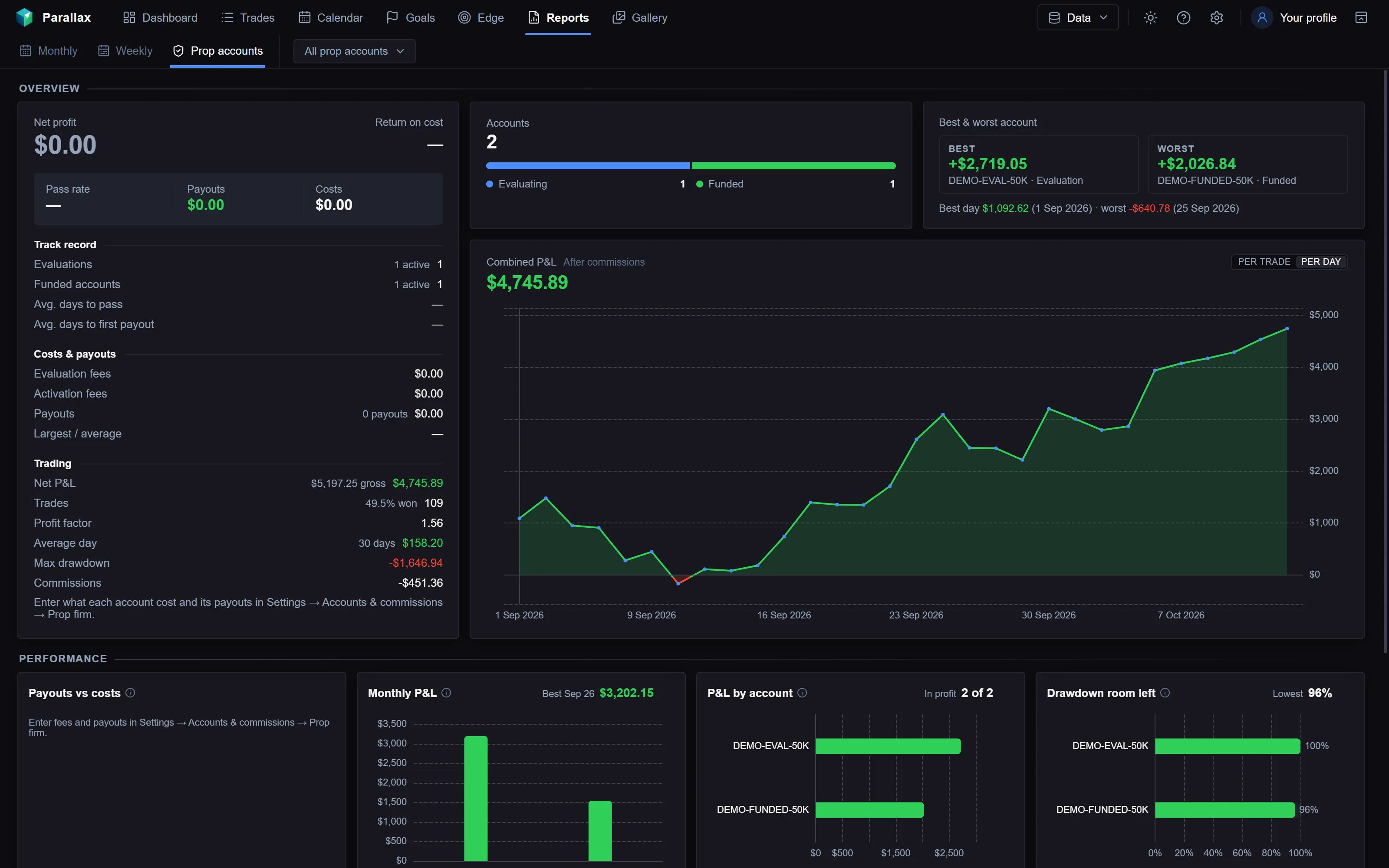
The Prop accounts report in Parallax, from a made-up demo journal.
MetaTrader reports don’t include how far each trade went against you while it was open, so the figures come from closed trades. FTMO checks your equity while trades are open, so its own account page has the final word.
Fees and rewards across all your FTMO accounts
Add each account’s challenge fee and the rewards it paid once. The report adds them up across every account, live and closed, so you can see what your FTMO accounts cost in total, what they paid, and the return on cost. More in Prop Firm Trading Journal.
R multiples work for forex and CFDs too: Parallax works out each symbol’s value per point from your report, so the risk to your stop is in dollars. More in What Is an R Multiple?
Frequently asked
Does Parallax work with FTMO?
Yes, for FTMO accounts traded on MT4 or MT5. You import the account’s MetaTrader report and enter FTMO’s rules for the account once.
Can I track the FTMO challenge and verification separately?
Yes. Each has its own account number in MetaTrader, so each comes in as its own account with its own rules and card in the report.
What if FTMO changes its rules?
Change the numbers in the account’s prop firm settings or in your FTMO preset. FTMO’s Trading Objectives page is the final word.
Does the journal show my FTMO equity in real time?
No. Parallax works from the trades in your MetaTrader report, after they close. FTMO’s own account page shows your live equity.
Parallax runs on Windows and costs $16 a month or $149 a year, with a 7-day free trial. See the journal or pricing.
FTMO, MetaTrader, MT4 and MT5 are trademarks of their owners. Parallax isn’t affiliated with them. Menu names are from MetaTrader 4 and 5.